
Speed Kills (Your Conversions): Why Fast Websites Win

The Need for Speed: Why Milliseconds Matter
We live in an era of instant gratification. When a user clicks a link, they expect the page to load immediately. If it doesn't, they leave. It's that simple. Modern consumers have incredibly short attention spans, and your website's performance is often their very first impression of your business. If your digital storefront is sluggish, visitors will subconsciously assume your services are equally inefficient.
According to Google, as page load time goes from 1 second to 3 seconds, the probability of a bounce (the user leaving without interacting) increases by 32%. If it takes 5 seconds, that probability hits a staggering 90%. If you ever wonder why your website is losing traffic, speed is a monumental factor. A recent analysis by Think with Google confirmed that a mere one-second delay in mobile load times can impact conversion rates by up to 20%.
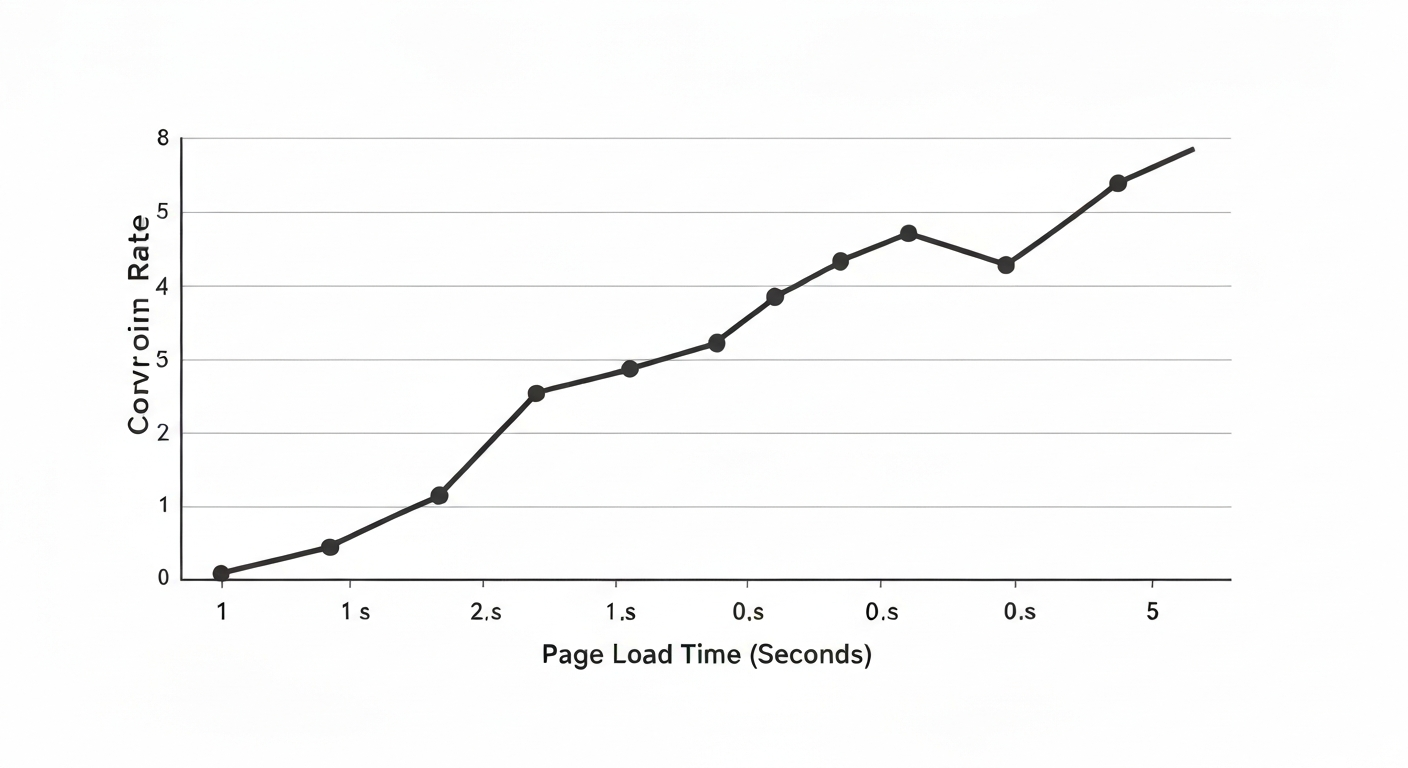
Data illustrates the sharp decline in user retention and conversion probability as page load time extends beyond the 2-second threshold.
How Speed Directly Impacts Your Bottom Line
Let's look at the math. If your website generates 10,000 unique interactions a month, a 1-second delay in page speed could cost you a significant portion of that engagement. Speed isn't just a technical metric; it is a direct driver of interaction and revenue. When your website feels sluggish, users subconsciously associate that sluggishness with your brand's overall quality, reliability, and attention to detail.
Consider the e-commerce giant Amazon: they famously found that every 100ms of latency cost them 1% in sales. While your local business might not operate at Amazon's massive global scale, the underlying psychological principle remains exactly the same. Fast websites build trust; slow websites destroy it before you even have a chance to make your pitch.
Furthermore, slow websites drastically reduce the number of pages a user will visit during their session. If every click requires a 4-second wait, users will only view the bare minimum before giving up. A lightning-fast site encourages exploration, leading visitors to view your services, read your testimonials, and ultimately arrive at your contact form with a much higher level of intent.
The SEO Ramifications: Core Web Vitals
Google officially uses page speed as a primary ranking factor for both mobile and desktop searches. They have introduced "Core Web Vitals," a set of specific metrics related to speed, responsiveness, and visual stability (Largest Contentful Paint, First Input Delay, and Cumulative Layout Shift). If your site fails these metrics, Google will actively penalize your rankings, pushing you down below your faster, more optimized competitors.
This means that no matter how incredible your content is, or how many high-quality backlinks you have built over the years, a slow website will act as an anchor, preventing you from reaching the top of the search results. Optimizing for speed is no longer an optional "nice-to-have" feature if you want to compete in local search; it is a mandatory baseline for visibility.
Common Culprits of a Slow Website
What actually causes a website to slow down? For most local businesses, the issues stem from a few common technical oversights. First and foremost are unoptimized images. Uploading massive 5MB photos directly from your smartphone or DSLR without compressing them forces the user's browser to download huge files before rendering the page.
Another major culprit is bloated code, often a side effect of using generic website builders or cheap templates. These platforms load massive amounts of unnecessary CSS and JavaScript "just in case" you decide to use a specific feature. Finally, cheap shared hosting environments can severely throttle your server response times, meaning your site will load slowly regardless of how well it is optimized.
Actionable Speed Optimization Steps
To ensure your website is operating at peak performance, implement these foundational strategies:
1. Compress and Convert Images: Run all images through compression tools and serve them in next-gen formats like WebP, which provide superior quality at a fraction of the file size.
2. Implement Caching: Use browser and server-side caching so returning visitors don't have to re-download assets they've already fetched.
3. Minify Code: Remove unnecessary whitespace, comments, and unused code from your CSS and JavaScript files to reduce their overall footprint.
4. Upgrade Your Hosting: Move away from $5/month shared hosting plans. Invest in a premium, dedicated, or cloud-based hosting environment designed for speed and reliability.

Marcus Vance
Lead Strategist
Marcus has over a decade of experience helping local businesses scale through strategic web design and performance marketing. He specializes in creating digital experiences that drive real revenue.
Join the Conversation

This is exactly what we needed to hear. We've been struggling with our bounce rate and these tips are super actionable. Going to implement the hero section changes today!
Glad it was helpful, Sarah! Let me know how the hero section updates perform. Usually, just clarifying that H1 makes a world of difference.

Great read. One question though: how do you balance having enough content for SEO without making the page look cluttered?
Never Miss an Update
Get the latest strategies on web design, SEO, and local marketing delivered straight to your inbox.
